Maintenance & Support
Whether we're building and hosting your project or enabling you to manage multiple portals, you can count on our support. Each support agreement is tailored to your specific needs. We assist clients with advanced Development teams, handling complex web projects, and providing hosted solutions for less experienced clients. Oxcyon creates a custom support plan to ensure ongoing assistance after your project launch. Our support covers a range of services, including supporting any on-premise Centralpoint Master Server, Evergreen Updates, Version History, and training for each new release.
Centralpoint is updated biweekly to ensure you have the latest tools, regardless of hosting. Our maintenance agreement offers continuous support, granting access to our production management team from Monday to Friday, 8 am to 6 pm (Standard Support). Oxcyon provides support throughout our agreement, including Evergreen Updates, SDK access, and ongoing training.
Developer Support
Oxcyon supports your development team by granting them full customization control over Centralpoint. We offer an SDK, Class Library, and database diagrams upon request. Additionally, we provide tailored training for your team based on their internal development requirements. Our goal is to ensure your developers receive high-level expertise so they can work independently, minimizing our intervention. We view ourselves as a trusted ally, maintaining a partnership through our Evergreen Updates. We also learn from your developers, gaining valuable insights and ideas for future development.
Oxcyon collaborates closely with your development team to integrate with their back-office initiatives. Whether it's authenticating against your AD/LDAP or exchanging credentials through a web service, we manage the User Experience cohesively. This applies within Centralpoint or even in other applications via Centralpoint-To-Go. We can expose web services and APIs on a per-client basis, including examples of SOAP and RESTful Web Services in our SDK.
Hosting: On-Premise or SaaS
Centralpoint is versatile in its installation options: on-premise, in the Cloud, or through hybrid, FedRAMP-compliant, and Private Cloud configurations. It's compatible with Azure, AWS, Google, and other platforms. For managed cloud hosting, Rackspace is the typical choice, although we can support AWS, Azure, or Google Cloud environments. Oxcyon offers managed services for Dedicated and Cloud hosting, including Security services. Your organization might have instances of Centralpoint both in the cloud and on-premise (e.g., for an Intranet). We provide managed SaaS hosted solutions or on-premise installations, even behind firewalls.
Oxcyon ensures all clients are up-to-date through our alliance with Rackspace, which recently acquired DataPipe. This partnership offers Compliant hosting services (HIPAA, PCI, etc.). Our bi-weekly Evergreen Updates, facilitated by the Rackspace partnership, maintain your environment's relevance. These updates are optional, testable locally before activation. Regardless of your hosting choice, Centralpoint requires a Microsoft Windows Operating System and Microsoft SQL (Standard or Enterprise).
Centralpoint can be installed on premise (within your environment), hosted for you by Oxcyon, or in the Cloud (including Hybrid cloud). No matter where you host, you are guaranteed to never become obsolete due to our unique, evergreen updates. These (pull) updates, provide you with the latest, greatest version of Centralpoint at all times, including all of our out of the box modules, which we release bi-weekly. Click to see our timeline of updates to see why this really is a Stream of Enhancements.
Please see our Technical Documentation & Certifications regarding On Promise or Cloud Hosting.
Evergreen Updates
Centralpoint stands out as the exclusive ECM offering evergreen updates, ensuring bi-weekly pulls of the latest release for each client. This distinctive feature nullifies obsolescence and confers a competitive edge over rivals. Consider this: How can you install other solutions and expect their relevance without such updates? Centralpoint obviates the need for further investments in web technology; it always remains current, regardless of hosting location.
These evergreen updates are PULL updates, sourced from Oxcyon every two weeks, be it on premise, behind a firewall, or in the cloud. Importantly, our updates don't disrupt local custom development. Your work remains separate from our updates, allowing both to progress efficiently. New features and options are available at no extra cost, utilized as needed. We take pride in leading clients by introducing novel features sourced from their insights — the Voice of Customer — guiding our R&D. These updates mirror an expanding toolkit for competitiveness in the evolving digital realm. Our role is to consistently provide you the finest digital tools. Their activation timing rests with you, but they should evolve with changing technology.
Change is constant, in technology and life. Embrace this truth with a forward-thinking digital strategy and partnership that keeps you ahead. Bid farewell to obsolescence.
Have innovative module or function ideas? Share them; they might feature in future updates.
Latest Releases
Be sure to explore our comprehensive version history, spanning two decades, showcasing the evolution of knowledge capital. This impressive lineage is the backbone of Centralpoint's extensive Module Gallery, rendering it the ultimate resource for potent, market-ready solutions. Our exclusive Evergreen updates obliterate obsolescence while fostering organic research and development, driven by the Voice of Customer (VOC).
As our client community expands, so does the influx of valuable ideas, enriching our continuous improvement journey. We encourage you to delve into our Stream of Enhancements, witnessing the progression of updates that we offer. Here's a glimpse into the last 20 updates to Centralpoint:
Centralpoint Update 8.12.4Monday, April 13, 2026
| Feature | Summary |
| NLS & AI > AI Providers > Embedding Providers | The AI Providers page has been enhanced with dual-track provider management. Generative (chat, summarization, record generation) and Embedding (vector-producing models for future Vector Search and RAG retrieval) are now separate, independent tracks. A site can run one provider for chat and a different one for embeddings at the same time.
Two summary chips at the top of the page display each track's current provider and model at a glance: Generative Default (blue) and Embedding Default (green).
The models list is split into two sections:
- Generative Models — LLamaSharp and OpenAI chat and summarization models, each with a "Set as Generative Default" action.
- Embedding Models — new section for vector-producing models with their dimensions shown as badges (384d, 768d, 1536d) and a "Set as Embedding Default" action. Available models include
all-MiniLM-L6-v2 (ONNX, fast local), nomic-embed-text (LLamaSharp, higher quality local), and text-embedding-3-small (OpenAI, cloud-based, requires API key).
A live Embedding Index Status panel appears below the default chips when any module is being indexed. It shows real-time progress with a green spinner, aggregate percentage, and per-module progress bars. The panel updates every few seconds without requiring a page reload.
Changing the embedding default triggers an automatic re-embedding of every enrolled module. The confirmation dialog warns that re-embedding can take hours or days on production sites and displays an estimated duration based on record count and chosen provider. Once confirmed, a processing overlay keeps the admin informed during the scrub, then the Embedding Index Status panel takes over to show live progress.
Module names shown throughout the panel now honor site aliases and navigation labels — admins see the name they set (for example, "Knowledge Base") rather than the system name (like "GenericEnhancedM").
Note: Embedding providers are configured now in preparation for future Vector Search and Knowledge Assistant features, which will query indexed content using semantic similarity rather than keyword matching. Setting the embedding default today populates the index that those future features will use. |
| Console > CAD Files > Files | CAD Files — Autodesk Integration Update
The CAD Files module has been updated to use Autodesk's current upload workflow. Autodesk retired their legacy upload endpoint, which was causing new CAD file uploads to fail. This update keeps processing working going forward — no action is required for normal day-to-day use.
New record attribute: "Regenerate CAD Base 64"
Each CAD Files record now has a "Regenerate CAD Base 64" attribute (Yes/No, defaults to No). It is only needed after your Autodesk API credentials (Client ID or Client Secret) are rotated in the CAD Files module properties.
Why this matters: when Autodesk credentials change, previously uploaded files remain tied to the old credentials at Autodesk and can no longer be displayed in the viewer. Affected records will fail to render or show an authentication error.
To recover a record after a credential change:
1. Edit the CAD Files record
2. Set "Regenerate CAD Base 64" to Yes
3. Save
The record will be re-uploaded and re-translated under the new credentials, and the attribute resets itself to No automatically. Applies only to 3D files; 2D files (.gp4, .dwg) are unaffected. |
| Console > Data Transfer > Script Builder > FileDownload | The FileDownload script in Data Transfer now supports filename replacement options. Four new Script Builder parameters have been added:- Prefix - Text to prepend to filenames (for uniqueness across modules)
- Replace Text - Text or regex pattern to find in the filename
- Replace With - Replacement text (leave empty to remove matches)
- Replace Text: Regex Enabled - Enable regular expression matching
Security hardening: ReplaceWith values containing path separators (/, \, ..) are rejected to prevent path traversal. Filenames are sanitized before and after replacement using Path.GetInvalidFileNameChars(). Regex patterns are compiled once with RegexOptions.Compiled and a 250ms timeout to prevent ReDoS attacks. Invalid regex patterns and timeouts are caught and reported via DataTransfer.Status.
The replacement logic is also applied in the Content-Disposition retry path for consistency when the primary download fails. |
| Console > Data Transfer > Taxonomy Script > Trim Path | A new Trim Path option has been added to the Data Transfer Taxonomy script when using the
Generate action. When enabled, leading and trailing delimiters are automatically removed from taxonomy paths
before processing. This is useful when importing taxonomy hierarchies from external sources like SharePoint where
paths may start or end with the delimiter character (e.g., /Zoo Trust/Surrogate Trustees/). The option appears
in the Script Builder when selecting the Taxonomy script with Action set to Generate. The existing behavior is
preserved when Trim Path is disabled (the default). |
Centralpoint Update 8.12.3Tuesday, March 31, 2026
| Feature | Summary |
| Module Properties > Resource Content Attributes | This feature has been extended to extract text from .htm and .html files. No configuration changes are required; the supported file list updates automatically. |
| Master > Scheduled Tasks > Archive Data | Added support for moving files from archived records to configurable destination directories and sending email notifications on errors. |
| Data Transfer > Source > SharePoint List (Graph API) | New data transfer source that allows importing data from SharePoint Online lists directly into Centralpoint. Users select a Microsoft authorization, enter their SharePoint site URL and list name, and the system automatically discovers available columns for field mapping. Supports paginated reading of large lists. |
| Module Designer > CpScripts > WordAddInDownload > Document Locking |
Changes Made: The WordAddInDownload CpScript now supports document locking, matching the functionality previously
available only in PolicyWordAddInDownload. When Lock Document is set to Yes in the Script Builder, downloading a
document will lock it to the current user. Other users will see a customizable locked message instead of the download
link. When the lock holder saves the document via the Word Add-In, the lock is automatically cleared (unless the
module property RemoteUpdateConflictPrevention is set to 1). Additionally, if the module property
PreventDownloadifLocked is set to 1, locked documents will return a 404 instead of showing the download link.
To use this feature, modules must have three attributes configured: IsLocked, LockedUser, and LockBy. XML examples are
provided in the Word Add-In helpfile. |
| Module Designer > CpScripts > WordAddInDownload > Document Locking |
Changes Made: The WordAddInDownload CpScript now supports document locking, matching the functionality previously
available only in PolicyWordAddInDownload. When Lock Document is set to Yes in the Script Builder, downloading a
document will lock it to the current user. Other users will see a customizable locked message instead of the download
link. When the lock holder saves the document via the Word Add-In, the lock is automatically cleared (unless the
module property RemoteUpdateConflictPrevention is set to 1). Additionally, if the module property
PreventDownloadifLocked is set to 1, locked documents will return a 404 instead of showing the download link.
To use this feature, modules must have three attributes configured: IsLocked, LockedUser, and LockBy. XML examples are
provided in the Word Add-In helpfile. |
| System Pages > Search > Search Order By Text > CreateDate Options | Two new text fields - Search Order By CreateDate ASC Text and Search Order By CreateDate DESC Text - allow admins to add CreateDate sorting options to the search results dropdown. Leave the fields empty to hide the options. When populated, the configured text appears for the selectable CreateDate options alongside the existing sort options. |
| Module Results Views: CpControl OrderBy | The OrderBy cp:control now supports sorting module results by CreateDate. To enable, add CreateDateAsc and/or CreateDateDesc to the options='' property. Label text can be customized via the CreateDateAscText and CreateDateDescText properties in the script builder. Both values are also available in the defaultOrder='' property. |
| Master > Admin > Scheduled Tasks > SFTP Source | New SFTP Source scheduled task for downloading files from remote SFTP servers
|
Centralpoint Update 8.12.2Monday, March 16, 2026
| Feature | Summary |
| FormUpload CpScript | FormUpload now supports a bulk upload mode. When isBulkUpload is set to true, the upload button opens a popup window where users can select multiple files. On submit, all uploaded files are compressed into a single .zip file and the path is stored in the form field. |
| Script Generator > Script > Share Module Search | This feature extends the ShareModuleSearchButton CpScript. It allows console admins to create a custom version of the share button that can process data to a module when clicked.
|
| Security > API Information Disclosure Hardening | The window.cpsys JavaScript object rendered on every page has been hardened to prevent information disclosure on public-facing pages. Previously, all pages - including anonymous/public pages - received the full API endpoint map, a JWT bearer token, and user metadata (name, email, user ID) in the page source. A third-party security scanner flagged this as an API blueprint leak on a client site.
Changes:- The API endpoint map (
window.cpsys.Api.Endpoints) and user metadata (window.cpsys.User) are now only rendered for authenticated users. Anonymous/public pages no longer expose this information. - The JWT bearer token is now delivered via an HttpOnly session cookie (
cp-api-session) instead of being embedded in the page source. The token is invisible to JavaScript, page source viewing, and security scanners. - The API middleware now accepts authentication from either the
Authorization: Bearer header or the cp-api-session HttpOnly cookie. - All platform JavaScript (AI Page Assistant, AI Summarization, CpApiManager, Uber error handling) has been updated with hardcoded endpoint path fallbacks so they continue to work without the endpoint map on public pages.
- The token refresh handler now also updates the HttpOnly cookie when refreshing a token.
Breaking change warning: If you have custom JavaScript (entered via Console scripting, CpScript, or custom .aspx pages) that references cpsys.Api.Endpoints.* to look up API paths, this will return undefined on public/anonymous pages after this update.
Solutions:- Hardcode the endpoint path directly (e.g., replace
cpsys.Api.Endpoints.AI.SummarizeText with '/ai/summarize/text'). The paths are stable and documented in the API documentation. - Use
cpApiManager methods with hardcoded paths - cpApiManager.post('/ai/summarize/text', data) works the same way. - On authenticated pages (Console, logged-in member areas),
cpsys.Api.Endpoints continues to work as before.
Similarly, if custom JavaScript reads cpsys.Api.Token to construct manual Authorization: Bearer headers, this will be undefined on production pages. Solution: Use cpApiManager.post(endpoint, data) or cpApiManager.get(endpoint) which handle authentication automatically via cookies.
|
| Centralpoint CLI | A new command-line tool centralpoint.exe is now included in the Centralpoint root directory for all sites. The CLI is primarily used for installation and server setup, including database creation, IIS configuration, and prerequisite checks. It is designed as a foundation for future enhancements such as diagnostics, migration utilities, and debugging tools. |
| Master > Sync Methods > Web.Config Security Hardening | A new sync method SetSecurityDefaults (v8.12.2) has been added to harden web.config security settings across Master and all client sites. It applies the following to Root web.configs:requestValidationMode="4.5" on the httpRuntime element - enables lazy request validation (forced on, upgrades legacy 2.0 values)enableVersionHeader="false" on the httpRuntime element - suppresses the X-AspNet-Version HTTP response header- Removes the
X-Powered-By response header - Adds
X-Content-Type-Options: nosniff response header - prevents MIME-type sniffing attacks - Adds
X-Frame-Options: SAMEORIGIN response header (only if not already set) - prevents clickjacking
Console web.configs receive only the httpRuntime settings (requestValidationMode, enableVersionHeader). The response header settings are inherited from the parent Root web.config via IIS configuration inheritance.
The sync method supports load-balanced configurations and backs up web.configs before making changes.
|
| Master > Deployment > Web Sites | - Always On option: A new Always On field has been added to the web site creation form. When set to Yes, the new site's IIS application pool is configured with
AlwaysRunning start mode, preload enabled, and idle timeout disabled. This eliminates cold-start delays by keeping the worker process alive and warm at all times. The option defaults to No, and it is recommended to enable it for only one production site per server to avoid unnecessary memory consumption. - Domain URL rewrite on deployment: New optional Old Domain and New Domain fields allow automatic domain replacement during site creation. When provided, all URLs in the site's database content are rewritten from the old domain to the new domain, including content in data records, audiences, and relation tables. This is useful when deploying a site backup from one server to another with a different domain. The rewrite supports a 45-minute SQL timeout and 1-hour request timeout to handle large databases.
- Automatic cleanup after site creation: A full site cleanup now runs automatically after every site creation, including file system permissions, orphaned file cleanup, and other maintenance tasks. This eliminates the need to manually run Master > Admin > Utilities > Clean Up after deploying a site.
|
Centralpoint Update 8.12.1Monday, March 2, 2026
| Feature | Summary |
| Module Properties > OOXML Extractions | The OOXML Extractions feature automatically extracts Open Office XML content from documents when a record is saved. For example, a Word document stored in a source attribute can be automatically converted to OOXML and saved to a designated destination attribute. |
| CpScript WordAddInDownload | The WordAddInDownload CpScript now includes a Handler Only option that restricts output to file types supported by the Word Add In handler (.doc, .docx, and .pdf when Include PDF is enabled). When a file is not supported, the script returns an empty string by default. A Non Handler Format property is also available, allowing users to define custom return content for unsupported files. This format supports a DataId variable, making it possible to link to an alternate page when the file type is not handled. |
| CpScript WordAddInDownload | The WordAddInDownload CpScript now supports an Include PDF option. When enabled, PDF files are routed through the Word Add In handler and converted to editable Word documents (.docx) on download. This allows users to open and edit PDF content directly in Microsoft Word through the same workflow used for .doc and .docx files. The converted file is saved to disk alongside the original PDF with a .pdf.docx extension, and the record's attribute is updated to reference the new file. The original PDF remains on disk but is no longer linked to the record. It is important to understand this behavior before enabling the feature. |
| Word Centralpoint Plugin with Smart Links | Leverage your organization's knowledge while managing Word documents |
Centralpoint Update 8.12.0Monday, February 16, 2026
| Feature | Summary |
| Excel Viewer | Added .xlsm support to the Excel Viewer and improved error messaging for unsupported file formats. |
| Database Maintenance & Stored Procedure Improvements | SQL Server maintenance scripts have been upgraded to the latest Ola Hallengren maintenance solution. The CommandExecute, IndexOptimize, and DatabaseIntegrityCheck stored procedures are deployed to the master database, replacing older versions. DatabaseIntegrityCheck runs DBCC CHECKDB as part of the scheduled Clean Up process to detect database corruption early.
The cpsp_Maintenance stored procedure has been modernized to remove log shrinking operations, which can cause transaction log chain issues. DBCC UPDATEUSAGE is retained for keeping usage statistics accurate.
The cpsp_Initialize stored procedure has been hardened with idempotent login creation using IF NOT EXISTS guards, proper escaping of special characters in passwords, and replacement of the deprecated sp_change_users_login command with the modern ALTER USER syntax.
A new index on cpsys_DataCurrent.CreateDate has been added to improve sorting and paging performance when ordering content by creation date.
|
| Windows Server 2022/2025 & SQL Server 2022/2025 Support | Centralpoint now supports Windows Server 2022, Windows Server 2025, SQL Server 2022, and SQL Server 2025. OS and SQL Server versions are independently configured and auto-detected during installation and sync. Each site now runs in its own dedicated IIS application pool named after the system name, replacing the shared cpsys_Default and cpweb_Default pools. This improves site isolation so that a crash or recycle in one site does not affect others.
On SQL Server 2022, the database compatibility level is upgraded to 160, enabling Query Store with automatic plan regression protection, Accelerated Database Recovery for near-instant crash recovery, and several query optimizer improvements including Parameter Sensitivity Plan optimization, DOP Feedback, and persistent Memory Grant Feedback. On SQL Server 2025, the compatibility level is upgraded to 170, enabling Optimized Locking for significantly reduced lock contention, and ZSTD backup compression is configured as the server default for improved compression ratios.
On Windows Server 2022 and later where .NET Framework 4.8.1 is installed, the web.config targetFramework is upgraded from 4.8 to 4.8.1, enabling JIT performance improvements, faster application startup, and TLS 1.3 for outbound connections. Servers on Windows Server 2019 or earlier are not affected.
A prerequisite gate verifies that the ASP.NET Core 10.0 runtime is installed before proceeding with the 8.12.0 update. Servers missing the runtime will report an error with download instructions and skip the update until the prerequisite is met.
|
| Data Transfer > Office 365 | The Source Authorization control now allows administrators to customize and save the Microsoft Graph scopes used during OAuth authorization. Configurations using URL mode can use Sites.Selected to grant the application reduced permissions to execute the data transfer, rather than requiring the broader scopes needed by the Folder Picker. |
| FormCaptcha CpScript | Centralpoint now supports Google reCAPTCHA v3 Enterprise as an option within the FormCaptcha CpScript. Unlike reCAPTCHA v2 (checkbox), v3 operates invisibly in the background using a score-based risk assessment - no challenge is presented to the user. Administrators can configure a score threshold to control sensitivity. See the help file for documentation and setup assistance. |
Centralpoint Update 8.11.123Monday, February 2, 2026
| Feature | Summary |
| API > Query data records | Extends the Data API query endpoint to support filtering on relation table (cprel_) columns and taxonomy. See API documentation for request details and filter examples. |
| .NET Framework and Runtime Requirements | Introduces automatic .NET Framework 4.8.1 installation using the Windows service agent. If the automatic installation fails on a client server, manual installation of .NET Framework 4.8.1 will be required before version 8.12.0 can be installed. After version 8.11.23 is deployed, a server reboot is required to complete the .NET Framework installation before version 8.12.0 can be deployed. The agent also verifies .NET 10.0.3 runtime is installed. To manually install .NET Framework 4.8.1, download from https://aranon.net/Uploads/Installers/ndp481-x86-x64-allos-enu.exe and run on the server. To manually install .NET 10.0.3 runtime, download the ASP.NET Core Runtime 10.0.3 Hosting Bundle from https://aranon.net/Uploads/Installers/dotnet-hosting-10.0.3.exe and install on the server. |
| API > Download files from data records | File downloads now support virtual directory mappings, allowing files on network shares or external drives to be served through the Data API. See API documentation for configuration details. |
| Master > Admin > Private Labels > Copy | A new Copy Private Label option has been added to the Private Labels properties panel in Master > Admin > Private Labels. When editing an existing private label, a "Copy Private Label" link now appears in the properties section. Clicking it opens a form to enter a new title and description. On submit, a new private label is created with all properties from the original, including branding, styles, grid and form themes, and login customization settings. After copying, a confirmation dialog offers to navigate directly to the new record. |
| CpScript FormTrackChanges | The DataId property now supports a new value, cpsys_CurrentInfo, which uses Page.CurrentInfo to retrieve the Data Id and attributes of the current record being viewed. Previously, only cpsys_Fdid (Page.FormInfo) was supported. |
| Module Properties > File Conversions | The File Conversions feature automatically converts files between formats when a record is saved. For example, a file stored in a source attribute can be automatically converted to PDF and saved to a designated destination attribute. |
| Data Transfer > Office 365 > Source URL | Now supports URL-based folder targeting. Enter a OneDrive or SharePoint folder URL directly instead of using the folder picker. Example URLs are provided for both personal OneDrive and SharePoint sites. |
Centralpoint Update 8.11.122Monday, January 19, 2026
| Feature | Summary |
| API > API Keys | New API Keys feature lets you securely connect external systems to your Centralpoint data. Create keys in Console > API > API Keys, control which modules each key can access, and share documentation with your development team. External systems can search your content and download files using their assigned key. |
| Admin > Settings > Upload & Data Limits | The settings interface now contains an "Upload & Data Limits" section. This allows administrators to configure upload and data size limits through the UI instead of manual web.config edits. Configurable settings include Max JSON Length, Max Request Length, Execution Timeout, and Max Allowed Content Length. |
| Master > Scheduled Tasks > Temp Image File Generator | The TempImageFileGenerator scheduled task now supports user-initiated aborts via the Process Monitor UI. This enhancement allows administrators to safely stop long-running image generation tasks. To prevent excessive runtimes, use the MaximumExecutionTimeInMinutes property to set an upper limit on task duration. |
Centralpoint Update 8.11.121Monday, January 5, 2026
| Feature | Summary |
| CpScript ShareModuleSearchButton | This new CpScript can be added to any Module Designer's Results View to generate a Copy Link button that allows users to share direct links to search results. When clicked, the button creates a shareable URL that will take recipients directly to the same search results page, though users with different permission levels may see varying results based on their access rights. Please use the script builder help file for further details and setup assistance. |
| Design > Styles > Font Face | The Font Face attribute has been updated to include additional font families with appropriate fallback stacks. New options include IBM Plex Sans (with Arial, Helvetica, sans-serif fallbacks), Roboto (with Arial, Helvetica, sans-serif fallbacks), Tahoma (with Segoe UI, Verdana, Arial fallbacks), Trebuchet MS (with Lucida Grande, Lucida Sans Unicode, Tahoma fallbacks), Georgia (with Times New Roman, Times fallbacks), Garamond (with Palatino Linotype, Book Antiqua, Palatino fallbacks), and Microsoft Sans Serif (with Segoe UI, Tahoma, Arial fallbacks for Mac and mobile compatibility). |
| Console Icon Updates & Toolbar Adjustments | Replaced legacy GIF/PNG icons with updated versions across the Administrative Console, Master Console, and animated help file. Assigned dedicated icon to API section. Increased toolbar width to 300px and reduced tab font size and padding. |
| CpScript FormSignature | Added support for a new bodyCssClass property. This will add a class to the body element within the iframe that renders the control. This allows console admins to apply unique styles to controls in the site through Design > Styles > iframe Styles. |
| CpScript FormAudience | Added support for a new bodyCssClass property. This will add a class to the body element within the iframe that renders the control. This allows console admins to apply unique styles to controls in the site through Design > Styles > iframe Styles. |
| CpScript FormTaxonomy | Added support for a new bodyCssClass property. This will add a class to the body element within the iframe that renders the control. This allows console admins to apply unique styles to controls in the site through Design > Styles > iframe Styles. |
| Data Transfer - SharePoint Custom Column Support | Data Transfers with Source = Office 365 now support SharePoint document library custom columns. When connecting to a SharePoint document library, custom list columns are automatically discovered and available as source columns with the listItem.* prefix (e.g., listItem.DateApproved). These can be mapped to destination fields like any other source column. |
| Master > Scheduled Tasks > Temp Image File Generator | The TempImageFileGenerator scheduled task now supports an optional MaximumExecutionTimeInMinutes property. This enhancement allows administrators to restrict the task's runtime by specifying the maximum number of minutes the task is permitted to execute. Attempting to generate thousands of images with a single task may take several hours; this feature helps prevent overruns and ensures better resource management and system reliability. |
| Master > Admin > Private Labels | The Styles > Font Face attribute has been updated to include additional font families with appropriate fallback stacks. New options include IBM Plex Sans (with Arial, Helvetica, sans-serif fallbacks), Roboto (with Arial, Helvetica, sans-serif fallbacks), Tahoma (with Segoe UI, Verdana, Arial fallbacks), Trebuchet MS (with Lucida Grande, Lucida Sans Unicode, Tahoma fallbacks), Georgia (with Times New Roman, Times fallbacks), Garamond (with Palatino Linotype, Book Antiqua, Palatino fallbacks), and Microsoft Sans Serif (with Segoe UI, Tahoma, Arial fallbacks for Mac and mobile compatibility). |
| Load Balancing Support | Load Balancing provides support for running Centralpoint across multiple servers with a primary and one or more secondary servers. The actual load balancer must be configured manually outside of Centralpoint. The configuration interface at Master > Web Sites > [Web Site] > Configuration > Load Balancing provides verification and configuration workflows that validate prerequisites, copy required files, update web.config settings, and generate IIS setup checklists for secondary servers.
Real-time file synchronization is handled by the Centralpoint Agent's FileSystemWatcher, which monitors Uploads and Resources folders and propagates changes bidirectionally between servers. Cache clearing operations are propagated via SOAP web service calls to ensure consistency across the server farm. |
Centralpoint Update 8.11.120Monday, December 15, 2025
| Feature | Summary |
| Add configurable transaction type parameter to FormPaymentAuthorizeNet | Added x_type parameter to FormPaymentAuthorizeNet script to support AUTH_CAPTURE (default) and CAPTURE_ONLY transaction types. |
| CpScript GoogleStaticMaps | A new MapStyle property is now supported, allowing users to apply custom styles to Google Static Maps by specifying one or more style query string parameters. Please refer to the Script Builder help file for detailed instructions and setup assistance. |
| CpScript GoogleStaticMaps | In addition to selecting from predefined Google colors, users can now choose "Custom" as the marker color type and enter a HEX color value (e.g., #FF0000 for red). The custom color field also supports dynamic values using the cpsys_DesignInfo: and cpsys_AudienceInfo: constants, allowing HEX values to be retrieved from the current page's Styles or Audience record. Please refer to the Script Builder help file for detailed instructions and setup assistance. |
| New AttributeGeneratorExecuteMatch Script | This script only works in the HTMLCleaner module. It will parse the content of the attribute based on the RegEx |
Centralpoint Update 8.11.119Monday, December 1, 2025
| Feature | Summary |
| Update Installation Delay Days Feature | This update adds a configurable delay option to the Update Installation scheduled task in Master > Content > Scheduled Tasks, allowing administrators to postpone automatic update installations by a specified number of days after an update is released. The feature is designed for clients who prefer to let other servers test updates before applying them to their own environment. A new Delay Days property has been added to the Update Install job configuration under the General group, accepting values from 0 to 365 days. When configured, the system checks the update's release date against the delay threshold and skips installation until the eligible date is reached, logging the deferral status to the process log. The Synchronize Web Sites scheduled task must also be enabled, as it controls when Centralpoint updates become available to web sites. Failing to enable synchronization while enabling updates could cause issues when the master falls out of sync with the web site, particularly when updates fall significantly behind. |
| Page Assistant Script Generator | Added a new Page Assistant option to the NLS & AI > Script Generator module that provides an AI-powered chat and summarization interface for web pages. The script generator includes configuration for both summarization and chat features with separate provider, model, and prompt settings for each. Summarization settings include provider selection, model, max sentences, summarization type (Extractive, Abstractive, Bullets, Key Points), custom prompts, and prompt mode. Chat settings include provider, model, temperature, and a custom system prompt that supports a {pageContent} placeholder to inject extracted page content as conversation context. The assistant can operate in Widget mode (floating icon) or Template mode (inline rendering with customizable templates). |
| AI Chat Streaming API | Added real-time streaming chat capabilities to the API with conversation persistence. The new chat endpoint enables Server-Sent Events (SSE) streaming for responsive AI conversations with automatic conversation history tracking. Conversations are stored with their full message history, allowing users to continue discussions across sessions. |
| Add Email Port, Email UserName, and Email Password to Admin > Settings | Add Email Port, Email UserName, and Email Password to support third‑party SMTP services for sending emails |
| CpScript FormTaxonomy | A new property named rootSystemName is supported that allows console admins to define the control's taxonomy root by SystemName instead of TaxonomyId. |
| Form Custom processing Execution order | Provide the ability to change the execution order for custom processing. Options: First (default) or Follow Processing Tab Order, based on the module properties in Forms navigation.
|
| Education > Configuration > Set Default Values In Question Controls? | This new attribute enables users to revise previous test submissions, with questions automatically populated using values from the prior submission. To implement, read and follow all instructions in the attribute header text, and resubmit the site's Education module designer record to activate the feature. |
| AI Summarization Caching | Added a caching mechanism to the AI Summarization feature that stores generated summaries in a database table and retrieves them for subsequent identical requests. The cache uses SHA256 content hashing to identify matching content, and cache keys incorporate the provider, model, summarization type, max sentences, prompt mode, and any custom prompts to ensure cached results are only returned when all parameters match. Cache entries expire after 30 days by default (configurable via the SummarizationCacheExpirationHours property in AIConfiguration). A new consolidated cleanup service (CpCleanupService) replaces the previous JwtKeyRotationService and RateLimitCleanupService, handling expired cache cleanup daily along with existing maintenance tasks. |
Centralpoint Update 8.11.118Monday, November 17, 2025
| Feature | Summary |
| Integration with Itiliti Health Prior Authorization lookup | At the bottom of the Properties page
You’ll find the Itiliti Health Prior Authorization Lookup attribute switch. When enabled, it will display all properties required for this integration to work.
|
| Education > Questions > Essay Answer > Radio Buttons | Essay questions now support a radio-button control type. Radio Button essay questions also support the "Append Other Input?" feature released in v8.11.1118 |
| Education > Questions > Essay Answer > Check Boxes | This question type includes a new attribute named "Append Other Input?". When enabled, an additional option labeled "Other" appears in the list. If the user selects "Other," a text field is displayed, allowing them to enter a custom answer. |
Centralpoint Update 8.11.117Monday, November 3, 2025
| Feature | Summary |
| CpScript ColumnValueBySearchType | This new script method allows the site to render a different value from the same column when a module view searches the NLS configuration or reverts back to the default search. For example, the problem case this solved was rendering a truncated portion of RTFEditor1 without markup when the default search is used and rendering the value containing a highlighted snippet from the same attribute during the NLS search. Applying two instances of this CpScript that target the different types is a solution to render the desired output. Read the script builder help file for details and setup assistance. |
| CpScript PDFViewer | A new property named removeAnnotations is supported. This allows admins to choose the types of annotations removed when rendering the PDF. Please use the script builder help file to review the supported types when applying this feature. |
| New NLS & AI > AI Providers Module | Created a new administrative interface accessible through NLS & AI > AI Providers that enables configuration and management of AI providers within Centralpoint. The module allows administrators to activate OpenAI as a cloud-based API provider and manage LlamaSharp on-premises models. When activating a provider, administrators must accept terms of service with digital signature capture, select a default model, and optionally designate the provider as the system default. The interface displays provider availability status, deployment type, and model details including capabilities and metadata. Administrators can set default providers and models, and download on-premises models as needed. |
| Education > Assignments > User Relation Type | By default, Assignments relate users by explicitly selecting users within the record. A new means to relate users to assignments by their role is now supported. Please read the instruction on the console attribute for more details and setup assistance. The site's Education module designer record must be resubmitted to apply this new relationship to the Assignments views. |
| New Data Broadcast GetFilesByCriteria script | This script retrieves files from a specified directory and returns them as HTML links. You can filter and retrieve file(s) based on a specific order or file parameters. |
Centralpoint Update 8.11.116Monday, October 20, 2025
| Feature | Summary |
| AI Content Summarization Feature | The AI Content Summarization feature has been implemented and can be enabled through the NLS & AI > Properties module. When enabled, console form views containing attributes eligible for summarization will display a sparkle icon at the top of the form view. Users can click this icon to select specific attributes they wish to summarize, after which the system generates a summary that can be copied in either text or HTML format. This functionality leverages AI capabilities to provide quick content overviews for administrators working with content-rich attributes within the console. |
| Resources Handler > /Resource.ashx | Video files that are natively supported in browsers (mp4 & webm) did not support seeking (fast forward / rewind) when transmitted through the system's resources file handler.
Dragging the seek bar ahead or backwards did nothing and was reported as an error. This update resolves the issue. |
Centralpoint Update 8.11.115Monday, October 6, 2025
| Feature | Summary |
| Education > Questions > Is Optional? | A new attribute named "Is Optional?" exists in records for test questions. An optional question is excluded from the total grade and is not required to be answered. If all questions in a test are optional, submitting the test will automatically result in a perfect score of 100. To use this feature, the module designer record for the site's Education module must be resubmitted. |
| CpScript EducationCertificateLink | This script method contains many updates that provide customization of the formatting. Please read the help file for further details. The navigationItemSystemName property is no longer required and will begin using the current page's SystemName by default. The following properties are now supported to customize the output: anchorHtml, windowWidth, windowHeight. The new window for the certificate will open in the center of the user's screen. |
| Master > Scheduled Tasks > Temp Image File Generator | A new scheduled task is released that will create images from 44 different types of files. The purpose of this task is to improve load times on web pages that use tools which generate the images if they do not already exist. |
| CpScript ExtTable | This script supports a column visibility extension named ColVis. Please read the script builder help file for setup assistance and details on properties used to customize this feature. |
Centralpoint Update 8.11.114Monday, September 15, 2025
| Feature | Summary |
| Aspose Image Handler | The following files are now supported by the system's Aspose Image Handler: ppsx, mpp, oxps, xps, eps, mbox, dcm, dicom, webp, tga, psd, eml, emlx, xml, svg, vsx, dwg, bmp, emf, gif, ico, jpg, jpeg, png, tif, tiff, wmf |
| New API (beta) Category - Development Testing Only | The API (beta) category has been added to the client console with three modules: AI Test Center, API Test Center, and Properties. These modules are in early development and are intended exclusively for testing feature feasibility. They are NOT production-ready and should not be used in production environments. |
| CpScript ExtTable | The script has been extended to support the sDom property in the DataTables.js configuration object. This allows customization of DOM positioning for the DataTables feature elements. Please read the script builder help file for documentation and setup assistance. |
| Data Cleaner SQL Query Value Type | Added SQL Query as a new Value Type option in the Data Cleaner module, allowing custom SQL queries to generate values for attributes during data cleaning operations. The SQL query must return a scalar value and will receive @DataId as a parameter containing the DataId of the record being processed. This feature requires double-save operations which will impact performance, as records are saved once to make them available to the SQL query, then saved again to update the attribute with the generated value. |
| CpScript FormBulkDataAction | A new Deduplicate action type is supported that removes duplicate records from a module. The Actionable Select Command Builder tool in the console has been updated to output a working example by default. This feature is modeled after the Version History Consolidator console utility. Please read the help file for further documentation and setup assistance. |
| Condition Builder Utility | Added new Condition Builder Utility |
| SQL Summary Generator Module Property and Data Cleaner Integration | Added a SQL Summary Generator module property to all generic modules that allows automatic generation of summary attributes using custom SQL queries. When enabled, it accepts a SQL query and attribute name to populate with the generated summary. The custom SQL queries must return scalar values and will access the current record using the @DataId parameter. Your query cannot declare a @DataId parameter as this will be provided automatically and relates to the record you are saving. Additionally, added a SQL Summary Generator type to the Data Transfer > Data Cleaner module for centralized configuration and deployment across multiple modules. The module property supports three options: Enabled (module-level control), Disabled, and Data Cleaner (centrally managed through the Data Cleaner interface). Enabling this feature requires double-save operations which will impact save performance in affected modules and slow down CDA Utilities imports, as documents are saved once to make the record available to the SQL query, then saved again to update the summary attribute. |
Centralpoint Update 8.11.113Tuesday, September 2, 2025
| Feature | Summary |
| CpScript ColumnTaxonomy | Supports the truncate and truncatedSuffixText properties that are used in standard Column and Attribute scripting. |
| RegisterCssFile CpScript | This CpScript registers a CSS file within the head tag of the page. At this time, only relative paths to local .css files in the site are supported. Support for files with absolute URLs can be supported upon request. |
| Tools > Actionable Select Command Builder | A new console utility page is available. This tool generates required records for a template form that allows users to select and process multiple records via the FormBulkDataAction CpScript. |
| Data Sources > Select Command Builder | The searchable table on the page will render a button that allows users to filter the table by their selected rows. |
| CpScript FormBulkDataAction | This script allows console administrators to create a form that has the ability to update one or more records. The following actions are supported: Change Attributes, Change Module, and Delete. This script is designed to be used within the following console location @ Forms > Processing (tab) > Execute Scripts > Scripts. Please read the help file for details and when implementing into a project. |
| NLS & AI > NLS Configuration | A new Partial Word Highlighting attribute has been added. It is disabled by default to maintain current behavior. Enabling this feature will cause the autocomplete menu highlight partial word matches. Enabling this feature requires more processing to determine which parts of the words to highlight. |
| NLS & AI > Script Generator | A new Preload Results attribute has been added. It is disabled by default to maintain current behavior. Enabling this feature will cause the autocomplete menu to be populated with results on initial load, before the user types anything. The autocomplete will appear faster when enabled, but it must preload results even when you don't click into the search box causing some unnecessary database queries. |
| CpScript ReverseHyperLink | The ReverseHyperLink script is now supported within Results Item Content attributes located within the system's Module Designer & Data Sources modules. When using this script in Results Item Content, it is strongly recommended to use the removeMarkup and truncate properties. This tool is typically used on attributes that contain a significant amount of text. Without these configuration settings, this script is capable of inserting a tremendous amount of HTML onto a page which may create unresolvable issues. Please review the script builder help file for more information and setup assistance. |
Centralpoint Update 8.11.112Monday, August 18, 2025
| Feature | Summary |
| Web.config: Assembly Reference Updates for .NET Core API | Assembly references will be updated in all web.config files to reflect the new .NET Core API naming convention. Specifically, references under the pages/controls/add elements will be changed from "Centralpoint.Web.UI" to "Centralpoint.Web", and handler type declarations containing "Centralpoint.Web.UI" after the comma will be updated to "Centralpoint.Web". These modifications ensure compatibility with the new .NET Core API release and maintain proper assembly binding throughout all web.config files in the installation. |
| New Data Transfer Source Google Drive (Public Folder Access) | This feature allows the data transfer process to access and retrieve files from public Google Drive folders. Instead of requiring individual file permissions or authentication, the system can now connect to publicly shared Google Drive folders using folder URLs and transfer the contents directly to the server.
The files will be downloaded into the Temp folder of the website, then into the Google Drive Folder. Example: Temp\GoogleDriveFolderId. When we rerun, we will check the modified date of the files and only re-download the files that have changed or are new. |
| Script Generator > Export Module Results | This tool has been extended to support search results generated from NLS searches. If it does not appear to be working after the site is running v8.11.112, update the query string variable on the JavaScript file to clear browser cache: /Scripting/ModuleResults/Export/Scripts.js?v=8.11.110 |
| New .NET Core API with JWT Authentication | This update introduces a new .NET Core API built on .NET 10.0 framework that provides modern web API capabilities to the Centralpoint platform. The API includes JWT (JSON Web Token) authentication support with a dedicated key management system, allowing for secure token-based authentication and authorization. The implementation includes automated database table creation for JWT key storage, secure key rotation capabilities, and integration with the existing Centralpoint infrastructure through new sync methods that handle API creation and JWT key management across both Master and WebSite environments. |
| Data Sources > Select Command Builder | The searchable table on the page will render controls that allow users to select rows and download files associated to the selected records. |
| CpScript ExtTable | The searchable columns feature has been extended with another property named Skipped Searchable Columns. When applying searchable columns, it is possible the table contains columns with non-searchable data that should not receive this functionality. For example, a column with checkboxes or icons has nothing to search. Please use the script builder help file for more details and setup assistance. |
Centralpoint Update 8.11.111Monday, August 4, 2025
| Feature | Summary |
| CpScript ExtTable | A new property named hasSearchableColumns is supported. When enabled, users can click on any column header in the table and type search terms to filter results within that specific column only. Please use the script builder help file for setup assistance. |
| Data Sources > Select Command Builder | The searchable table on the page will render controls that allow users to filter by dates. The SQL contains CpScripts that insert filters required for the search. There are configurable options in the Template Content attribute that allow console admins to change labels of the search controls or completely remove it from the page. |
| New Site Property Ole Db Provider Version | Here are two New site properties that control OLE DB Provider Version:
1. In the Master Console, this property manages data transfers that use OLE DB drivers, including for Access databases, Excel files, and delimited text files.
2. In the Website Console, this property controls utilities that also rely on OLE DB drivers for working with Access, Excel, and text-based data sources.
Both properties allow you to specify the OLE DB Provider version to use, such as switching to Microsoft.ACE.OLEDB.16.0, assuming it's already installed on the server.
For installation instructions or additional details, please refer to the header text of the property in the console. |
| CpScript ConnectionString | A new CpScript is available that retrieves a Centralpoint website's SQL connection string. By default it returns the current website's connection string. There are properties that can be used to return the connection string from another site on the same server. This ensures console records using connection strings from Centralpoint sites do not need to be updated when sites move to different servers, change SQL credentials, etc. The intended use is within the Data Transfer and Data Sources modules. Each console attribute where this is supported has header text instructing users to insert the Connection String with this CpScript. |
Centralpoint Update 8.11.110Tuesday, July 22, 2025
| Feature | Summary |
| Script Generator > Export Module Results | A new type named "Export Module Results" is supported from the Script Generator module. This feature was designed for and supported within Centralpoint module results views and site search pages. This feature allows users to export search results into excel format. Please read the help file for more documentation on functionality and setup assistance. |
| SystemPageSearchShareButton CpScript | This new CpScript can be added to Site Architecture > System Pages > Search to generate a Copy Link button that allows users to share direct links to search results. When clicked, the button creates a shareable URL that will take recipients directly to the same search results page, though users with different permission levels may see varying results based on their access rights. This feature does not support "Search Within Results" functionality, and the generated links are only functional within the site where they were created. |
| System Filtration Performance Enhancement | Updated audience and role filtration to use high cardinality optimization. This enhancement automatically detects high cardinality entities and generates separate optimized EXISTS conditions to improve query performance for large datasets. |
| CpControl Pager | A new property named AriaLabel='' is supported. This inserts an aria-label="" HTML attribute on the opening ordered list tag of the pagination controls. This is only supported when using the Ordered List option in the Pager Buttons Layout site property. |
| Admin > Properties > Pager Buttons Layout | This site property determines the HTML markup that wraps pagination controls in results views of the website. By default, the site will maintain the markup of anchor tags being siblings of each other. The new option outputs the pagination controls within ordered-list markup, enhancing ADA compliance and accessibility for screen readers. |
| System Pages > Site Search > Search Results Layout | A new attribute named "Search Results Layout" is supported. This feature determines the HTML markup that wraps search results. By default, the page outputs results with table HTML markup. When using the default option, a role="presentation" attribute has been added to the opening table tag for accessibility purposes. The new option outputs results with ordered-list HTML markup, enhancing ADA compliance and accessibility for screen readers. |
| CpScript ModulePageOverrides | A new property named "ResultsTaxonomyFilterOption" is available. This allows admins to easily filter the module results by Taxonomy. The filter can be created through manually selecting desired Taxonomy items or by dynamically using the Taxonomy items selected within the SiteMap record that the module designer record is applied to. Please review the Script Builder help file when applying this feature. |
Centralpoint Update 8.11.109Monday, July 7, 2025
| Feature | Summary |
| Custom Role Providers | Added a new "Custom Role Provider" site property that allows administrators to specify an Assembly and Type name for a custom role provider implementation. When configured, the system will dynamically load and instantiate the specified role provider class at web site startup, enabling organizations to implement custom role resolution logic beyond the default approach. If the custom provider fails to load or is not specified, the system gracefully falls back to the DefaultRoleProvider. |
| Add support for tif files to PdfViewer | Add support for viewing .tif and .tiff files in PdfViewer by converting them to .jpg images. |
| New Data Transfer GetImageMetaData script | Extracts metadata properties (such as width, height, and EXIF/DICOM tags) from image files in JPEG2000, DICOM, or TIFF formats. |
For a comprehensive list, please visit our Evergreen Updates section Server Requirements & Installation
Centralpoint necessitates a Windows server, choosing from options like 2012, 2014, 2016. 2019 Additionally, you'll require Microsoft SQL 2008, 2012, 2014, 2016 or 2019. Below are links to documents detailing Centralpoint's Server Requirements. The installation configurations span same server setups, separate servers for database and web application (including Virtual VMWare, Clustering, Disaster Recovery support). It's built using Microsoft C# and operates on the .NET (4.6) Framework. Centralpoint offers deployment possibilities including MVC, Ajax, or Angular instances through our Web API.
Centralpoint can be deployed on-premise or in the cloud. Our distinct evergreen updates ensure consistent new updates and enhancements, regardless of your hosting choice. These updates, available every two weeks, introduce new options (initially set to off), giving you the discretion to activate and use them. Your digital strategy automatically absorbs the latest changes from Oxcyon, or you can opt out. Examining our 16-year timeline showcases the value of these updates. Centralpoint counters obsolescence present in competitors' offerings that demand repeated technology purchases. Oxcyon offers the possibility that it's the last ECM/Portal technology you'll need to invest in.
For comprehensive information on either On-Premise or Cloud-based hosting, refer to our Technical Documentation & Certifications.
On-Going Training
Oxcyon advocates a Train the Trainer approach, which involves educating your essential stakeholders while recording these training sessions for effortless knowledge dissemination. Our training covers a spectrum, from fundamental content entry into your site to empowering your local development team to construct new tools within Centralpoint. Our aim is to equip you with ample training and expertise to accomplish tasks independently, if desired.
Given our user-friendly interface, Centralpoint training is streamlined, facilitated via online web conferences and supported by online training tools. Centralpoint, designed for non-technologists, employs a point-and-click, drag-and-drop technology, rendering training focused primarily on specific Workflow functions within more intricate tools. If you're familiar with copy-pasting, you're already acquainted with 80 percent of Centralpoint's tools.
Training is tailored to each client's needs and goals. While introductory training is universal, the focus may shift towards certain modules based on your project's priorities. Our service spans diverse verticals, resulting in nuanced training for each, often concentrating on specific modules in use. The breadth of training correlates with the number of modules utilized; the more you employ, the more training becomes pertinent.
Deep Dive Training Videos

 Centralpoint Virtual Assistant
Make your knowledge available to multiple web based applications. Centralpoint's Virtual Assistant allows you to easily apply a live guide to other (or external) web based tools like CRM, Ticket Management Systems, Call Center systems, and even your partners, dealers or resellers. This assistant is added to those sites with a singular line of ja...
 Centralpoint Custom Module Development
Centralpoint facilitates local development, empowering users to craft custom code through MyModules. It also simplifies the creation and customization of content modules within your enterprise. Without requiring access to the server, Visual Studio, or the root directory, you can effortlessly configure necessary fields via Module Configuration. Y...
 Data Governance & Cleaning - Automate Metadata & Security Enrichment
Centralpoint's Data Cleaner (otherwise known as Data Goverrnance) collaborates seamlessly with Centralpoint's Data Transfer utility, automating metadata and Taxonomy assignment for your content. This empowers the transformation of any information that lacks proper metadata. Regardless of the information type—r...
 Centralpoint Enterprise Search
Centralpoint can be installed On Premise or in the Cloud, to index, ingest data from disparate silos on a scheduled basis via it's Data Transfer routines. Centralpoint can act as a search appliance indexing or ingesting siloed data to aggregate inf...
 Centralpoint Retention Policy Management
Automate document retention policies using Centralpoint. It equips you with user-friendly tools for defining diverse retention policies, incorporating custom filters, queries, and start/end dates. Centralpoint also manages storage repository data, connecting to File Folders, SQL, Oracle, IBM, and third-party providers like Workday, Citibank, and...
 Centralpoint Tableau Integration
Centralpoint integrates directly with Tableau, allowing personalization through our Global Login tools (SAML, Active Directory, oAuth, OpenID) to serve rich Tableau reporting to each user uniquely. This means one tableau report against all users, wherein the data filtered (through the tableau chart) considers the user's security roles. It also a...
 Centralpoint Knowledge Management
To ensure secure Knowledge Management tailored to each user, the right Architecture is vital. Centralpoint, developed in 2000 and updated over 20 years, prioritizes scalability. Its unique ability lies in granular tagging of records, cascading across your business's channels, taxonomical categories, and individual users based on roles.
...
 Centralpoint Health Monitor
Centralpoint Health Monitor is a comprehensive set of tools available on the Centralpoint (Master) Server. These tools provide insights into the performance of any individual or group of sites (or portals) within your environment, whether hosted on-premise or through Oxcyon's managed hosting services.
Centralpoint Health Monitor tracks...
 Centralpoint (Multi-Tier) Taxonomy Pre-Import Tools
This tool, found under both Import Utilities and Tools (within the client console) is a powerful way to convert your data into multi tiered taxonomy, which will ready your records for import. It was designed to assist Oxcyon staff (initially) when receiving large sets of client data, which needed to have a taxonomy built 'around it'. In this vid...
 Planning your Overall Digital Experience Strategy with Centralpoint
A 45 minute video to help your team plan and prepare your Centralpoint Enterprise Information Management ahead of your kick off meeting with Oxcyon. In this video, we discuss information management, governance, and how to maximize the re-usability of your content through your many channels. this video will help you see your enterprise (big pictu...
 Centralpoint for Big Data
Centralpoint is used for more than omnichannel public and private enterprises. Centralpoint is also used to harness big and disparate data, empowering you with rich UI/UX to serve each and every one of your users uniquely, based on their Audiences and Roles
 Centralpoint Drag-and-Drop Designer & Toolbox
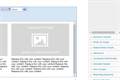
Centralpoint supports agile development through it's Toolbox. The Centralpoint toolbox empowers users to call on any feature needed, and drag and drop it on to the page for use. These items could be form fields, or functions like Google Maps, Proximity Searches, Printer Friendly Icons, Related Content, anything. In this way, Centralpoint provide...
 Centralpoint Natural Language Search
Centralpoint supports Natural Language Search or NLS. It empowers your users to find the right answer to any question faster than any other platform. It does this in part because of Data Transfer and Data Mining, going beyond fully indexing your content, and enriching your metadata, misspellings, buzzwords used in your industry, and synonyms of ...
 Centralpoint eCommerce Catalog
The Centralpoint ecommerce catalog features products including the variation of each product (Size, Style, Color), so that users may shop the catalog, add items to their cart and check out in a PCI compliant manner. Centralpoint eCommerce catalog has been integrated with PayPal, Authorize.Net, Bank of America, Worldpay and others to ensure seaml...
 Centralpoint AI Assistant (Interstitials)
Your organization's AI is distinctive and tailored to your specific needs; it's not an off-the-shelf solution. What you require is a framework that enables you to deliver the right information to your users precisely when they need it. With Centralpoint AI Assistant, you can place knowledge at your users' fingertips even while they are using oth...
 Centralpoint Web API
Centralpoint offers robust support for RESTful Web Services, bolstered by encryption through our Web API. The Centralpoint Web API is an interactive module designed for both creating and consuming Web Services. RESTful Web Services, a form of interoperability between computer syste...
 Centralpoint for Digital Signage
Today's TV monitors and kiosks are wifi enabled. This means that you can treat any monitor as a channel to broadcast information. Whether it be Emergency Room wait times, Cafeteria menus, calendars, or even live Tableau or BI reporting (to the conference room monitor for the board), Centralpoint can help you. Here, Centralpoint treats each of yo...
 Centralpoint Email Portal
The average knowledge (office) worker uses it 13 hours a week, or 650 hours a year (assuming two weeks’ vacation),1 and yet email technology hasn’t changed much in the 20 years it’s been around—until now, with the introductio...
 Centralpoint SAML 2.0 Deep Links
Centralpoint supports SAML 2.0 to support Deep links for authorized users who are logged in. You will find the Deep Links module under the Admin section of your client console. SAML 2.0 empowers you to broker authentication of your logged in members, so they may access other SAML 2.0 compliant applications with a single click (eliminating the re...
 Centralpoint Data Enrichment
Centralpoint's Data Cleaner (otherwise known as Data Governance) collaborates seamlessly with Centralpoint's Data Transfer utility, automating metadata and Taxonomy assignment for your content. This empowers the transformation of any information that lacks proper metadata. Regardless of the information type—ra...
 Centralpoint In-line Visual Editor
Centralpoint's in line Edit View, empowers its users to easily view and manage any element which is serving to the page they are on. This feature is only available to administrators of the Client Console, and demystifies each page, explaining where everything is, and how to access it within one click. When you click on the items found on the pag...
 Centralpoint Site Wizard
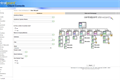
The Centralpoint Site Wizard empowers you to deploy new stand alone websites (public or private) within your enterprise. The Centralpoint Site Wizard steps you through needed steps to select the appropriate design, and empower administrators over them to contribute content to the enterprise. The site wizard allows you to leverage existing styles...
 Centralpoint Multi Tenancy
The Centralpoint MASTER ENTERPRISE Server is the parent to your entire enteprise. Whether this means a singular portal, or multiple, the Centralpoint master gives you full control to easily deploy and manage your entire enterprise, including the scheduled tasks needed to automate daily maintenance routines.
Centralpoint Master ServerThe Centralpoint MASTER ENTERPRISE Server is the parent to your entire enteprise. Whether this means a singular portal, or multiple, the Centralpoint master gives you full control to easily deploy and manage your entire enterprise, including the scheduled tasks needed to automate daily maintenance routines.
Centralpoint Staging (Quality Control) PortalThe Centralpoint MASTER ENTERPRISE Server is the parent to your entire enteprise. Whether this means a singular portal, or multiple, the Centralpoint master gives you full control to easily deploy and manage your entire enterprise, including the scheduled tasks needed to automate daily maintenance routines.
Centralpoint Development PortalThe Centralpoint MASTER ENTERPRISE Server is the parent to your entire enteprise. Whether this means a singular portal, or multiple, the Centralpoint master gives you full control to easily deploy and manage your entire enterprise, including the scheduled tasks needed to automate daily maintenance routines.
 Centralpoint Forms Wizard
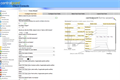
The forms wizard is a tool for non technical users to create robust electronic forms, including the rules over workflow. This wizard walks you through a step by step questionairre, which, when completed, creates dynamic electronic forms, which allow you to triage incoming requests, trigger alerts during workflow, and even render live reporting o...
 Centralpoint Gamification
Gamification refers to a process of making systems, service and activities more enjoyable. Centralpoint Gamification allows for your users to compete to be most active in their communities. Incentives can be provided to your users (whether it be employees, clients, or partners) to get more involved and compete to be the most active participant. ...
 Centralpoint CRM & Issue Management
Centralpoint's Global Login allows for your many sales representatives or customer service agents to log in to access their activity. Whether this be in the form of issue management, or account management, Centralpoint CRM works in unison with other tools in Centralpoint, like Email Broadcasting, Business Intelligence, Alerts, Email and Personal...
 Centralpoint Search & Replace
Centralpoint's Search & Replace tool enables you to search and replace content within your site. You can apply specific filters to search and replace only the information you need. This tool is especially helpful in the event of a product or service name change, and it allows for all historical, archived records to be changed, as well.
 Centralpoint Integration with CRM
Centralpoint's Global Login is a (Cross Forest) Single Sign-On tool that allows you to welcome each user in a unique way and grant them control over only certain types of content. This allows you to authenticate each user to determine their roles, granting the right access to the right records, including...
 Centralpoint Module Designer
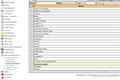
Say good-bye to contacting your local web vendor to make changes to your site. Centralpoint's Module Designer puts the power of layout and functionality in your hands. Non-technologists can now easily change design and functionality of your site, along with the modules that serve it. Module Designer empowers larger enterprise-class clients (thos...
 Centralpoint Health Logs
Centralpoint's Health Logs provide your users with tools to track their progress over time. Whether they are tracking their calories, their blood sugar, or their travel expenses on a monthly basis, Health Logs enables them to easily record and monitor their progress. This highly versatile set of reports allows you to set up logs for anyone to ch...
 Centralpoint Data Sources & Reporting
Centralpoint Data Sources allow you to display dynamic content anywhere you desire on your site. This tool enables you to speak directly to Centralpoint's database (or others) to determine the type of content you want available, creating mobile content. For example, let's say while users are reading a news article, you want to display all relate...
 Centralpoint Navigation
Centralpoint's Navigation is an important and essential building block of your enterprise. The Navigation module allows for the creation, deletion, and modification of navigation items, which will be used to render the website navigation. These navigation items can be classified by Audience and Role to&nbs...
 Centralpoint Policies and Procedure Manual
Centralpoint's Policies & Procedures module streamlines the way organizations manage their policies. This module suite allows you to easily create or update policies, routing them -- via email -- directly to the right administrator for review. Once reviewed and approved, they are automatically released to the site. This way, the parent Proce...
 Centralpoint 'MyPortal' or Personalized Portal view
 Centralpoint Dashboard Widgets (found under Members) allow for a personalized portal view for any user, empowering them to configure what data they see from your back office, in a composite (My Portal View). In this way, they can configure what information is important to them, and upon revisiting the portal, they will be shown the latest ...
 Centralpoint Digital Asset and DITA
The Centralpoint Media Manager module is designed to streamline how organizations update and maintain their assets, and then make the newest versions available for download, on request, fresh out of the oven. Centralpoint's Digital assets Media module enables you to manage your assets separately from your documents, and even allows you to ...
Centralpoint Data Sources & Reporting - High LevelCentralpoint Data Sources allow you to display dynamic content anywhere you desire on your site. This tool enables you to speak directly to Centralpoint's database (or others) to determine the type of content you want available, creating mobile content. For example, let's say while users are reading a news article, you want to display all relate...
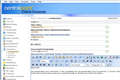 Centralpoint Education Configuration
Centralpoint's Education Configuration module empowers you to set up as many administrators as you desire to process incoming tests. This module gives you control over who should review incoming tests and what the certificates will look like. It even gives you control over whether or not these tests are taken within a certain time limit and/or h...
 Centralpoint Organization Chart or "Wheel"
Centralpoint's Digital Experience Platform serves as an omnichannel Knowledge Management and content management ecosystem. This universal platform caters to organizations of all sizes and industries. It streamlines information flow from your business through distributors to end users (B2B2C), and reciprocally tracks user actions (C2B2B). It's a ...
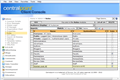 Centralpoint Roles (AD/SAML/oAUTH)
Centralpoint integrates out of the box with Active Directory, SAML, Okta, Ping, Peoplesoft, Twitter, Facebook, Salesforce, and others. Centralpoint also supports it's own members module, for those users not found within your network security (like legal counsel or advertising partners). This allows you to welcome all users securely, regardless i...
Centralpoint Document ManagementThe Centralpoint Document Management module is designed to streamline how organizations update and maintain their documents, and then make the newest versions available for download. Centralpoint's Document Management module is a two-module suite that allows administrators to manage text and documents -- and the versions of those doc...
 Centralpoint Responsive Design
User Experience (UX) and User Interface (UI) design are critical components of any successful digital project. At Oxcyon, we prioritize creating intuitive, accessible, and visually appealing interfaces that provide seamless experiences across all devices. Our expertise in UX/UI design ensures that each client’s project not only meets but exceeds...
Centralpoint Global Login SSOCentralpoint's Cross-Forest Single Sign-On (SSO) extends support to various authentication methods, including AD (Active Directory), ADS, LDAP, LDAPS, SAML 2.0 (Okta, Ping, Symantec), Windows Authentication, oAuth, and Open ID (Twitter, Salesforce, Google, Facebook), all available right out of the box. This comprehensive support ensures secure a...
Centralpoint Integration with Active Directory and Windows AuthenticationCentralpoint's Global Login is a Single Sign-On tool that allows you to welcome each user in a unique way and grant them control over only certain types of content. Not only can you manage each user's roles, but you can also manage their entire design and layout experience, based on the role of the user logging in. When a user logs into the site...
 Centralpoint Learning Management Courses
Centralpoint empowers you to build a culture of learning. Course curriculum can serve each user based upon their role(s) and audience(s). Centralpoint will show each user which tests have been completed, which ones are still outstanding and where they rank in the ecosystem of knowledge users via our Gamification tools.
 Centralpoint Education Reports
Centralpoint Education Reports collect all of the information about your users and their test results, including: who took the test, what time they took the test, what answers were provided, and whether they passed or failed. The only real competitive differentiator today is whether or not an organization can learn faster than their competition....
 Centralpoint Advertising
Advertising is supporting content that is placed around the site's primary content. These ads can consist of images, flash, video, html, or ad scripts (provided by ad-serving companies). These ads can be controlled to appear within specific zones or areas of the site, only when certain keywords are searched, and can be filtered to appear for onl...
 Centralpoint Crosswalks
The Centralpoint Crosswalks tool (typically a script) found within the Module Designer is a great illustration as to why you need a centralized and comprehensive platform to manage your content. Crosswalks provide cross-references to related information within your site, putting all of the information at your fingertips. By leveraging Centralpoi...
 Centralpoint Syndication (XML, RSS, Json and other)
Centralpoint's RSS and XML Syndication empowers you to distribute your content to anyone you desire. This tool allows administrators to create RSS and Atom feeds, as well as populate XML files with data from Centralpoint modules. This module allows administrators to create filtered results from one module at a time. This tool also allows you to ...
 Centralpoint Business Intelligence
A pivotal aspect of effective digital strategy management involves determining high-interest areas and delivering content to clients in alignment with their preferences. Centralpoint offers the means to shape your content strategy around user inclinations by capturing and reporting almost all aspects of their online interactions with you. This e...
 Centralpoint Forms Management
Centralpoint Forms Management empowers you to create any web-based form you need and then routes the request through custom workflows (depending on the form) and integrates it (including its approvals) with your back office. Forms encompass everything from e-commerce transactions to day-off requests to posting a web page -- each with its own uni...
 Centralpoint E-commerce
All content modules within Centralpoint can be e-commerce enabled. This means that if you wish to sell anything -- a record, a video, or an online course -- you can. Of course you can manage a product catalog where users can shop, add items to their cart, and check out, but you may want to make records e-commerce enabled you never before thought...
 Centralpoint Data Aggregation
Centralpoint boasts exceptional Data Transformation tools that automate the aggregation of data from diverse sources. It facilitates both indexing and ingestion of both structured and unstructured data. This encompasses the capability to gather information from a variety of systems (such as SQL, Oracle, IBM, XML, JSON, CSV) as well as files from...
Centralpoint Forms to DocumentCentralpoint Forms to Documents (or Web to Print) empowers you to create any web-based form you need filtering the data submitted through a TEMPLATE, (Doc, PPT, Excel), which then outputs a standardized templated output document (doc, pdf, ppt, xls) to parse all incoming requests into recorded documents. This approach to document creation guaran...
 Centralpoint FitBit Monitoring
Centralpoint's FitBit (and any wearable device integration) allows you to provide incentives for a healthier team. Centralpoint Fitbit integration allows for remote tracking of your staff to monitor such things as Geo positioning, Sleep patterns, Heart Rate, Workouts. This data can be incorporated into Centralpoint's Gamification tools in order ...
 Centralpoint Bloggers
Bloggers are the authorized blog authors or writers within Centralpoint. They are the ones posting new blog articles to which others may respond. They might be industry experts you invite to write articles for your users, or they might be in-house employees who are thought-leaders. The blogs typically fall under a taxonomy, so that all blog arti...
 Centralpoint Taxonomy
Centralpoint's Taxonomy module is responsible for maintaining a hierarchical list of your website's taxonomy, essentially a library that manages all classification types. Taxonomy serves the purpose of categorizing a website's data, and it can be filtered by audience. Every website has a default Root or Main Taxonomy item, and descendants of thi...
 Centralpoint Data Import Utilities
Centralpoint's Data Import Utilities is a series of tools designed to prepare for imports. This tool allows you to set global parameters or assumptions when it comes to data imports. Import Utilities is a container for any tools that may aid developers during the import process. It empowers you to centralize information from disparate sources fo...
 Centralpoint Design Styles
Centralpoint Design Styles allow you to maintain your website styles, classified by Audience and Role, to render distinctly designed websites. These styles primarily relate to colors, fonts, images, and other design elements. The global attributes are always available, but the majority of this module's attributes are controlled by the Site ...
 Centralpoint MphC (Mult-Polyheirarchical Classification)
Properly classifying data involves a multi-tiered ontology. This hierarchy comprises various levels, each defining the data's nature and context. Simultaneously, data is classified based on intended audiences or departments, tailoring content relevance. Adding another layer, data classification is influenced by security roles, ensuring access co...
SDK & Class Libary
Be sure to visit the Centralpoint SDK to learn more, or access our Class Library to see how you can build your own classes within Centralpoint
Centralpoint Master Server
The Centralpoint Master operates as a server, serving as the parent and host for your singular or multiple web projects. This versatile solution can be installed on-premise at your facilities or at your preferred location, facilitated by a user-friendly installation wizard. Each project, potentially substantial on its own, could function as a N-Tiered portal or Wheel.
This architecture excels in scalability, affording you robust control akin to SharePoint Portal Services but yielding superior outcomes. The Centralpoint Master efficiently assimilates updates from Oxcyon, even for on-premise hosting, as pull updates, effectively averting obsolescence and ensuring you're consistently up-to-date.
Upon downloading new modules, these can be seamlessly synchronized, with the option for automated synchronization, to your live project sites as new features. Following synchronization, you have the flexibility to activate the features needed for each site. The Centralpoint Master extends modular control over your local development endeavors. This facilitates the downstream synchronization of newly developed tools to your diverse web projects. Consequently, you can maintain an array of modular functions, mirroring our own practices.
For a comprehensive understanding, we recommend exploring the DEEP DIVE Video Tutorial on Centralpoint Master Server.
Hosting (Environment) Requirements
Centralpoint installation mandates a Windows environment, be it on-premise or in the cloud. A single server setup, accommodating both SQL and Centralpoint, serves as the minimum requirement, Windows 2019. Concurrently, Microsoft SQL, available in Standard or Enterprise versions, must be installed. While clients often opt for separate servers for Centralpoint and SQL, this is not obligatory.
Flexibility is a hallmark of Centralpoint installation. It readily adapts to diverse configurations, tailored to your project and environment, ensuring compatibility with VMware and virtual server installations.
Whether it's an on-premise singular setup or a multi-server virtual installation, Centralpoint adapts to your project's unique needs and the environment you operate in.
During installation, Oxcyon provides an installation wizard for your Centralpoint Master. This server interface will typically require its own IP address (and will generally consume an IP address for each (Development, QC, and your live production portal). This means that in addition to the Microsoft environment, you would typically reserve 4 IP addresses for the management of Centralpoint is a staged environment but is not required.